
Cybersecurity is the practice of protecting computers, networks, systems, and data from digital attacks, unauthorized access, and damage. In today’s connected world, it is one of the most important parts of keeping personal information, business operations, and online services safe.
Introduction
Every time someone shops online, logs into email, uses a mobile app, or stores files in the cloud, cybersecurity is working behind the scenes. Without it, hackers can steal passwords, infect devices, or disrupt entire networks. That is why businesses and individuals both need to understand the basics.
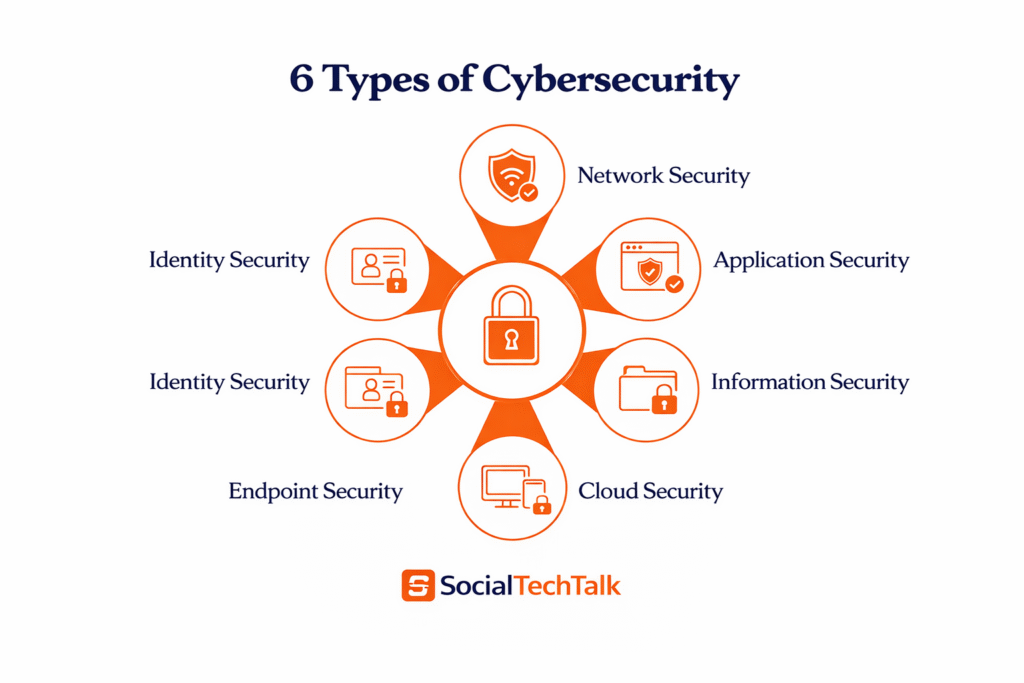
Cybersecurity is not just one tool or one strategy. It is a group of security layers that work together to protect digital assets from different kinds of threats. That is where the six major types of cybersecurity come in.
What Is Cybersecurity?
Cybersecurity refers to the methods, technologies, and practices used to defend digital systems from cyber threats. These threats can target devices, software, accounts, servers, and even cloud storage.
In simple words, cybersecurity helps keep your digital life safe. It protects confidential data, stops hackers from entering systems, and reduces the risk of financial or reputational damage. For businesses, it also helps maintain customer trust and smooth daily operations.
Why Cybersecurity Matters
Cyberattacks are becoming more common and more advanced. Hackers often target weak passwords, outdated software, unsecured networks, and careless users.
Cybersecurity matters because it:
- Protects personal and business data.
- Prevents fraud, identity theft, and account takeover.
- Reduces the risk of malware and ransomware attacks.
- Keeps websites, apps, and systems running properly.
- Helps organizations follow legal and compliance requirements.
Types of Cybersecurity
What Are the 6 Main Types of Cybersecurity?
This simple table shows what each type protects and why it is important.
Each of these six types of cybersecurity works like a layer of defense. When you combine them, your devices, data, and online accounts become much safer from hackers and cyber threats.
| Type of Cybersecurity | What It Protects | Main Purpose | Simple Example |
| Type of Cybersecurity | What It Protects | Main Purpose | Simple Example |
| Network Security | Computer networks, routers, servers, and connections | Blocks unauthorized access to the network and keeps data safe while it moves | Firewalls, VPNs, and Wi‑Fi security that stop hackers from entering your office network |
| Application Security | Software, websites, and mobile apps | Finds and fixes vulnerabilities in apps before hackers exploit them | Checking a shopping app’s code and updating it to stop hackers from stealing credit card data |
| Information Security | Data and digital records (files, emails, databases) | Keeps information confidential, accurate, and available only to authorized users | Encrypting customer data and using strong passwords so only staff can access it |
| Cloud Security | Data and services stored in cloud platforms (like Google Drive, AWS, etc.) | Protects files and systems hosted online from breaches and misuse | Setting access rules and encryption for cloud storage so only your team can see sensitive documents |
| Endpoint Security | Devices that connect to the network (laptops, phones, tablets, desktops) | Stops malware and attacks on individual devices | Using antivirus and device management on all employees’ laptops and phones |
| Identity Security | User accounts, logins, and access permissions | Ensures only the right people can log in and access systems | Using strong passwords and two‑factor authentication (like SMS or app codes) for email or admin accounts |
Types of Cybersecurity in detail
- Network Security
What Is Network Security?
Network security is the practice of protecting computer networks and the data that travels across them from unauthorized access, misuse, damage, and cyberattacks.
It covers all components that are connected to a network, such as routers, switches, servers, firewalls, and connected devices.
In simple terms, network security acts like a digital security guard for your internet connection, making sure only allowed users and devices can enter while blocking hackers and malware.
How Does Network Security Work?
Network security works by using multiple layers of controls at the perimeter (outer edge) and inside the network.
Each layer checks who is trying to connect, what they are doing, and what kind of traffic is moving, then blocks or allows it based on security rules.
Common methods include:
- Authentication (requiring usernames, passwords, or two‑factor login).
- Access control (limiting what each user or device can see or do).
- Encryption (hiding data in code so attackers cannot read it even if they capture it).
Why Is Network Security Important?
Network security is critical because:
- It stops hackers from reaching servers, databases, and sensitive systems.
- It protects personal data, business information, and customer records while they move between devices.
- It helps reduce downtime and keeps networks running smoothly during attacks.
Without strong network security, a simple weak Wi‑Fi password or an open port can give cybercriminals full access to internal systems.
Key Components of Network Security
Here are the main tools and concepts that make up network security:
| Component | What It Does | Simple Example |
| Firewalls | Act as a barrier between trusted internal networks and untrusted external traffic, filtering incoming and outgoing data. | Blocking malicious websites from reaching your office network. |
| Intrusion Detection / Prevention Systems (IDS/IPS) | Watch network traffic for suspicious activity and can block or alert on attacks. | Detecting a hacking attempt and automatically shutting down the connection. |
| Virtual Private Networks (VPN) | Encrypt data when users connect over the internet, so hackers cannot see it. | A remote worker safely accessing company files from home. |
| Network Segmentation | Divides the network into smaller zones so a breach in one area does not spread everywhere. | Keeping customer data in a separate zone from general office devices. |
| Access Control & Authentication | Verify who is allowed to connect and what level of access they get. | Only managers can access the finance server; others are blocked. |
| Encryption | Scrambles data in transit so it cannot be read if intercepted. | Securely sending a password or bank details over the internet. |

Real-World Example
Imagine a small online shop:
- The network connects the web server, office computers, and Wi‑Fi.
- Firewalls block suspicious traffic from the internet.
- VPN lets the owner safely manage orders from outside.
- Access control stops everyone except staff from touching the customer database.
All these pieces together form network security for that business.
Quick Summary
Network security = guarding your network and its data from hackers.
- It uses firewalls, access control, encryption, and monitoring.
- It protects servers, websites, emails, and cloud services that depend on stable, safe network connections.
2. Application Security
Application security (often called AppSec) is the practice of building, testing, and protecting software applications so they cannot be hacked or misused. It focuses on vulnerabilities hidden inside the code, design, and configuration of apps, websites, and mobile programs.
In simple words, application security makes sure your apps are safe from the inside, not just from the outside network.
What Does Application Security Protect?
Application security protects:
- Web applications (like online stores, dashboards, booking systems).
- Mobile apps (Android and iOS apps used for banking, shopping, etc.).
- APIs (the connections that let different apps talk to each other).
It also protects:
- User data (logins, passwords, payment details).
- Business logic (how the app works, such as discounts, order flow).
- Backend systems (databases and servers that the app connects to).
Why Is Application Security Important?
Attackers often target vulnerable apps instead of the whole network because:
- A single weak app can leak all user data.
- Common bugs allow SQL injection, cross‑site scripting (XSS), and data leaks.
- More apps now run in the cloud, APIs, and mobile devices, so they are easy to reach.
Strong application security:
- Stops hackers from stealing or changing data.
- Prevents criminals from taking over admin panels or user accounts.
- Helps businesses follow privacy laws and avoid fines.
How Does Application Security Work?
Application security works across the entire software life cycle, from design to daily use. This is called Secure Software Development Life Cycle (SDLC) or DevSecOps.
Key phases include:
- Design & requirements: Plan security early (e.g., “this app must encrypt all passwords”).
- Secure coding: Developers write code using security rules and avoid common mistakes.
- Testing: Use tools like SAST (static analysis), DAST (dynamic testing), and SCA (software‑component scanning) to find bugs.
- Deployment & monitoring: Use web application firewalls (WAF), API security tools, and runtime protection to block attacks while the app runs.
Core Components of Application Security
| Component | What It Does | Simple Example |
| Secure coding practices | Developers follow security rules to avoid bugs like SQL injection or XSS. | Checking user input before saving it to the database. |
| Authentication & authorization | Verifies who the user is and what they are allowed to do. | Only admins can change product prices. |
| Encryption of data | Protects sensitive data both in transit and at rest. | Passwords and credit card numbers stored in hidden, encrypted form. |
| API security | Secures the connections between apps and services. | Only the official app can access your user‑profile API. |
| Web Application Firewall (WAF) | Filters malicious traffic trying to reach the app. | Blocking hacking scripts that try to inject code. |
| Security testing & scanning | Automated tools constantly scan the app for vulnerabilities. | Catching a bug before hackers use it in a live system. |
Real‑World Example
Imagine an online banking app:
- Secure coding prevents hackers from tricking the app into sending money to the wrong account.
- Authentication ensures only the real user can log in (with password + 2FA).
- Encryption hides account numbers and passwords.
- API security stops fake programs from stealing data from the backend.
- WAF and scanning tools block hacking attempts in real time.
All these layers together make up application security for that banking app.
Quick Summary
Application security = making sure apps and software are safe from inside vulnerabilities.
- It starts during coding and continues after the app is live in production.
- It protects data, user accounts, and business logic from attacks like SQL injection, XSS, and API abuse.
3. Information Security
Information security (InfoSec) is the practice of protecting data—both digital and physical—from unauthorized access, misuse, loss, or damage. It focuses on keeping information confidential, accurate, and available only to the right people and systems.
In simple words, information security = protecting the data itself, not just the network or the app that carries it.
What Does Information Security Protect?
Information security protects:
- Digital data such as files, emails, databases, cloud storage, and app records.
- Physical data such as printed documents, USB drives, and paper files.
It also protects:
- Personal information (names, IDs, phone numbers).
- Financial data (bank details, payment records).
- Business secrets and intellectual property.
The Three Pillars of InfoSec (CIA Triad)
Most information security practices are built on the CIA triad:
- Confidentiality
- Only authorized users can see sensitive data.
- Example: Encrypting customer credit card details so only approved systems can read them.
- Integrity
- Data cannot be illegally changed or corrupted.
- Example: Detecting if someone tampers with an invoice or record.
- Availability
- Authorized users can access data when they need it.
- Example: Keeping a database online and backed up so employees can retrieve customer orders at any time.
How Does Information Security Work?
Information security combines people, processes, and technology to secure data across its whole life cycle—from creation to deletion.
Key activities include:
- Creating security policies and rules (who can access what, under what conditions).
- Using access controls (passwords, roles, permissions) to limit who can view or edit data.
- Applying encryption so data is unreadable to attackers.
- Setting up Data Loss Prevention (DLP) and backup systems to stop leaks and restore data after accidents.
Organizations often follow standards like ISO/IEC 27001 to build a formal Information Security Management System (ISMS).
Core Components of Information Security
| Component | What It Does | Simple Example |
| Access control & permissions | Defines who can see or change data. | Only HR can view employee salary records. |
| Encryption | Hides data so only authorized users or systems can read it. | Storing customer passwords in encrypted form. |
| Backup & recovery | Keeps copies of data to restore it after loss or damage. | Restoring files after a ransomware attack. |
| Data classification | Labels data by sensitivity (public, internal, confidential). | Marking customer databases as “high sensitivity.” |
| Data Loss Prevention (DLP) | Prevents employees or systems from sending sensitive data outside. | Blocking an email that tries to send financial reports to a personal Gmail account. |
| Audit & monitoring | Tracks who accessed data and when, to detect misuse. | Log showing that a user opened a secret file at 3 a.m. for investigation. |
Real‑World Example
Imagine a health clinic:
- Patient records must be confidential (only doctors and nurses can see them).
- Records must stay accurate (no one can change diagnoses without permission).
- Doctors must be able to access records quickly when treating patients.
Information security tools like access control, encryption, backups, and audit logs help the clinic meet all these goals.
Quick Summary
Information security = protecting data from unauthorized access, change, and loss.
- It is built on confidentiality, integrity, and availability (the CIA triad).
- It works through policies, access controls, encryption, backups, and monitoring.
4. Cloud Security – Detailed Explanation
Cloud security is the branch of cybersecurity that protects data, applications, and infrastructure hosted in the cloud. It focuses on keeping cloud‑based systems private, safe, and available against evolving cyber threats.
In simple terms, cloud security = making sure your data and apps are safe when they live on remote cloud servers instead of local computers.
What Does Cloud Security Protect?
Cloud security protects:
- Cloud data: files, databases, backups, and logs stored in platforms like Google Cloud, AWS, Microsoft Azure, and SaaS apps.
- Cloud applications: web apps, APIs, and services running in the cloud.
- Cloud infrastructure: virtual machines, containers, networks, and access points.
It also protects:
- Business‑critical systems such as email, CRM, and e‑commerce platforms.
- Compliance with data‑privacy laws (GDPR, PCI‑DSS, ISO 27001, etc.).
The Shared Responsibility Model

A key idea in cloud security is the shared responsibility model:
- Cloud provider (e.g., AWS, Google Cloud, Microsoft Azure) secures the physical data centers, core networks, and basic infrastructure.
- Customer (you) secures how you configure clouds, manage identities, handle data, and protect access.
Example: The cloud provider keeps the server hardware safe, but you must set strong passwords, enable encryption, and limit user access.
How Does Cloud Security Work?
Cloud security uses a mix of technology, policies, and continuous monitoring to reduce risk.
Main activities:
- Securing the cloud perimeter with firewalls, secure gateways, and Zero‑Trust network access.
- Managing identity and access so only the right people and systems can reach cloud resources.
- Using encryption for data both in transit and at rest.
- Continuously monitoring for misconfigurations, anomalies, and threats with logging and security tools.
Core Components of Cloud Security
| Component | What It Does | Simple Example |
| Identity and Access Management (IAM) | Controls who can log in and what they can do in the cloud. | Only finance staff can access the cloud accounting system. |
| Data encryption | Hides cloud data so attackers cannot read it. | Encrypting customer emails and documents stored in Google Drive. |
| Cloud‑native firewalls & network security | Filters traffic to and from cloud workloads. | Blocking brute‑force attacks on a cloud server. |
| Cloud security posture management (CSPM) | Checks cloud settings and finds risky misconfigurations. | Detecting that a storage bucket is accidentally set to “public.” |
| Compliance & audit tools | Ensures cloud use follows security rules and regulations. | Preparing for a security audit with logs and reports. |
| Endpoint & device security | Protects laptops/phones that connect to cloud services. | Making sure a remote worker’s device is clean before accessing cloud files. |
Types/Flavors of Cloud Security
Many guides break cloud security into:
- IaaS security (protecting virtual machines and cloud servers).
- PaaS security (securing cloud platforms and development tools).
- SaaS security (securing cloud apps like G‑Suite, Microsoft 365, CRM tools).
- Hybrid / multi‑cloud security (protecting combined private + public clouds).
Each type uses the same core ideas (access control, encryption, monitoring), but applied to different cloud layers.
Real‑World Example
Imagine a small online store using:
- A cloud website (hosted on AWS).
- A cloud CRM for customer data.
- A cloud email service.
Cloud security ensures:
- Only admins can change website settings.
- Customer data is encrypted and access‑controlled.
- Attackers cannot hijack user accounts or cloud storage.
This is done with IAM, cloud‑based firewalls, encryption, and real‑time monitoring tools.
Quick Summary for Blog Readers
- Cloud security = protecting data, apps, and infrastructure that live in the cloud.
- It follows the shared responsibility model: the provider secures the base, you secure how you use it.
- It relies on identity management, encryption, secure configurations, and continuous monitoring.
5. Endpoint Security
Endpoint security is the practice of protecting individual devices (called endpoints) that connect to a network, such as laptops, desktops, smartphones, tablets, and servers.
Its main goal is to stop malware, hackers, and data leaks from using these devices as entry points into the wider network.
In simple terms, endpoint security = protecting your devices so they do not become weak spots for attackers.
What Does Endpoint Security Protect?
Endpoint security guards:
- Personal and business devices like PCs, Macs, Android and iOS phones, and tablets.
- Remote and hybrid work devices that connect from home, coffee shops, or public Wi‑Fi.
It also protects:
- Data stored on devices (documents, photos, passwords).
- Access to cloud services and company networks that users reach from these endpoints.
How Does Endpoint Security Work?
Endpoint security uses dedicated software installed on each device (an agent) and a central console to manage everything from one place.
Typical functions:
- Antivirus and anti‑malware: scans for and removes viruses, ransomware, spyware, etc.
- Behavioral monitoring: watches for suspicious activity (for example, a program trying to encrypt lots of files quickly).
- Endpoint Detection and Response (EDR): logs device activity, detects advanced attacks, and helps IT quickly investigate and stop them.
- Encryption and access control: locks data on the device and controls who can open certain files or apps.
Core Components of Endpoint Security
| Component | What It Does | Simple Example |
| Antivirus / anti‑malware | Detects and removes harmful software. | Stopping a ransomware file before it encrypts your documents. |
| Endpoint Detection & Response (EDR) | Logs activity, detects advanced threats, and helps respond to incidents. | Noticing that a hacker is running strange commands on one laptop. |
| Firewall (host‑based) | Filters network traffic on the device itself. | Blocking a malicious website trying to connect to your PC. |
| Application control | Stops users from installing or running unsafe apps. | Preventing an employee from downloading a sketchy tool. |
| Disk and file encryption | Hides data on the device if it is lost or stolen. | Encrypting all files on your laptop so a thief cannot read them. |
| Mobile Device Management (MDM) | Manages security settings on phones and tablets. | Remotely wiping a lost company phone. |
Why Is Endpoint Security Important?
- More people work remotely, so attackers look for vulnerabilities on devices rather than just the network.
- A single infected laptop or phone can spread malware across the entire organization.
- Modern endpoint security can detect and stop zero‑day attacks, fileless malware, and ransomware before they cause major damage.
Real‑World Example
Imagine a small marketing agency:
- Employees use laptops and phones to access Google Workspace, Slack, and the company CRM.
- Each device has antivirus, a firewall, and EDR enabled.
- If a phishing email installs malware on one laptop, the endpoint security detects and quarantines the threat before it spreads to other devices or the cloud.
Quick Summary
Endpoint security = protecting laptops, phones, tablets, and servers from malware and hackers.
- It combines antivirus, behavioral monitoring, EDR, encryption, and centralized management.
- It is essential for remote work, hybrid offices, and any business that uses personal or company devices to access sensitive data.
6. Identity Security
Identity security is the cybersecurity discipline that protects digital identities (users, devices, and services) and controls how they access data, apps, and systems. Instead of defending just the network or the device, it focuses on the “who can log in, what they can access, and how they behave once inside.”
In simple terms, identity security = guarding usernames, passwords, and access rights so only the right people and systems can reach sensitive resources.
What Does Identity Security Protect?
Identity security protects:
- Human identities: employees, partners, customers, and contractors who sign in to websites, apps, or cloud services.
- Machine identities: apps, bots, and services that automatically move data between systems.
It also protects:
- Authentication systems (login pages, single sign‑on, password managers).
- Access privileges such as admin rights, permissions, and session tokens.
Core Principles of Identity Security
Most identity security strategies are built on these ideas:
- Strong authentication
- Verify who is logging in beyond just a password, using multi‑factor authentication (MFA), biometrics, or hardware tokens.
- Least‑privilege access
- Users and services get only the minimum permissions they need to do their job, not full access.
- Centralized governance
- Manage users, roles, and access from one identity system (Identity and Access Management / IAM).
- Continuous monitoring and detection
- Watch for unusual login behavior, risky applications of stolen credentials, and abnormal data access patterns. This is often called Identity Threat Detection and Response (ITDR).
How Does Identity Security Work?
Identity security works by combining tools and policies that operate at the point of access.
Typical components:
- Single Sign‑On (SSO) & modern auth (OAuth, SAML, OpenID Connect)
- Users log in once and gain safe access to multiple apps without re‑typing passwords.
- Multi‑Factor Authentication (MFA) / phishing‑resistant methods
- Adds a second check (phone app, security key, biometrics) to stop stolen passwords.
- Privileged Access Management (PAM)
- Protects admin accounts and powerful “break‑glass” access with strict controls and logging.
- Behavioral analytics & ITDR
- Detects when a legitimate account starts acting strangely (e.g., logging in from a new country, downloading huge files), then blocks or challenges it.
Core Components of Identity Security
| Component | What It Does | Simple Example |
| Multi‑Factor Authentication (MFA) | Adds extra verification beyond passwords. | Logging in to Gmail and confirming with your phone app. |
| Single Sign‑On (SSO) | One secure login for many apps. | Logging in once to access email, CRM, and cloud storage. |
| Identity and Access Management (IAM) | Centrally manages who can access what. | IT setting up a new employee with the right app access. |
| Privileged Access Management (PAM) | Protects powerful admin and root accounts. | Limiting server‑admin access to a small, monitored team. |
| Identity Threat Detection & Response (ITDR) | Detects and stops attacks on real user accounts. | Blocking a login that looks like a hacker using stolen credentials. |
| Least‑privilege and access reviews | Ensures nobody has more access than needed. | Removing an intern’s access after they leave the company. |

Why Is Identity Security Important?
- Most modern attacks start with stolen or weak credentials (phishing, guessing, leaks).
- As companies move to cloud and SaaS, identity becomes the new security perimeter instead of the office firewall.
- Strong identity security helps:
- Prevent account takeovers and data breaches.
- Meet compliance rules (GDPR, HIPAA, PCI‑DSS, etc.).
- Support Zero Trust architecture (“never trust, always verify”).
Real‑World Example
Imagine a SaaS‑based company:
- Employees use SSO + MFA to access Google Workspace, Slack, and their CRM.
- Admins have extra layers (PAM) and need approval for risky actions.
- The system monitors logins and can block or challenge access if someone logs in from a strange country late at night.
Common Cyber Threats
Cybersecurity protects against many kinds of threats. Some of the most common include malware, phishing, ransomware, spyware, and password attacks.
Malware is harmful software designed to damage or control a device. Phishing tricks users into giving away passwords or private data. Ransomware locks files and demands payment. Spyware secretly monitors activity, while credential attacks target login details.
How to Improve Cybersecurity
Good cybersecurity starts with simple habits. Strong passwords, regular software updates, and careful email behavior can prevent many attacks.
Businesses should also train employees, back up data, and use layered protection like firewalls and endpoint tools. For individuals, enabling multi-factor authentication and avoiding suspicious links can make a big difference.
Practical Example
Imagine a small online store. Network security protects the store’s server, application security protects the website checkout page, information security protects customer data, cloud security protects stored files, endpoint security protects employees’ laptops, and identity security protects admin logins. Together, these layers create a much stronger defense than any single tool alone.
FAQS
- What is cybersecurity in simple words?
Cybersecurity is the practice of protecting computers, networks, data, and digital systems from hackers, viruses, and other online threats. - What are the 6 types of cybersecurity?
The six main types are: Network Security, Application Security, Information Security, Cloud Security, Endpoint Security, and Identity Security. - What is the difference between network security and endpoint security?
Network security protects the entire network and data in transit, while endpoint security protects individual devices like laptops, phones, and tablets that connect to the network. - Why is identity security important?
Identity security protects user accounts and access rights, helping prevent account takeovers, data breaches, and unauthorized access to systems and data. - How is cloud security different from network security?
Cloud security focuses on protecting data and apps hosted on remote cloud platforms, while network security protects the on‑premises or internal network infrastructure and connections. - What is the main goal of information security?
The main goal of information security is to keep data confidential, accurate, and available only to authorized users (the CIA triad). - Which type of cybersecurity is most important for beginners?
For beginners, understanding password security, identity security (MFA), and basic endpoint security (antivirus) are the most practical starting points to stay safe online.
Conclusion
Cybersecurity is the practice of protecting digital systems, data, and users from online threats. The six main types—network, application, information, cloud, endpoint, and identity security—work together to build strong protection.
If you understand these six types, you can better protect your personal devices, business data, and online accounts. In simple terms, cybersecurity is not optional anymore; it is a basic need for anyone using digital technology.
Cybersecurity covers many layers of defense, not just one. Each type plays a different role, but together they help prevent attacks, protect data, and keep systems safe.
The most important takeaway is this: start with the basics, then build stronger protection step by step. Strong passwords, updates, backups, and user awareness are the foundation of good cybersecurity.